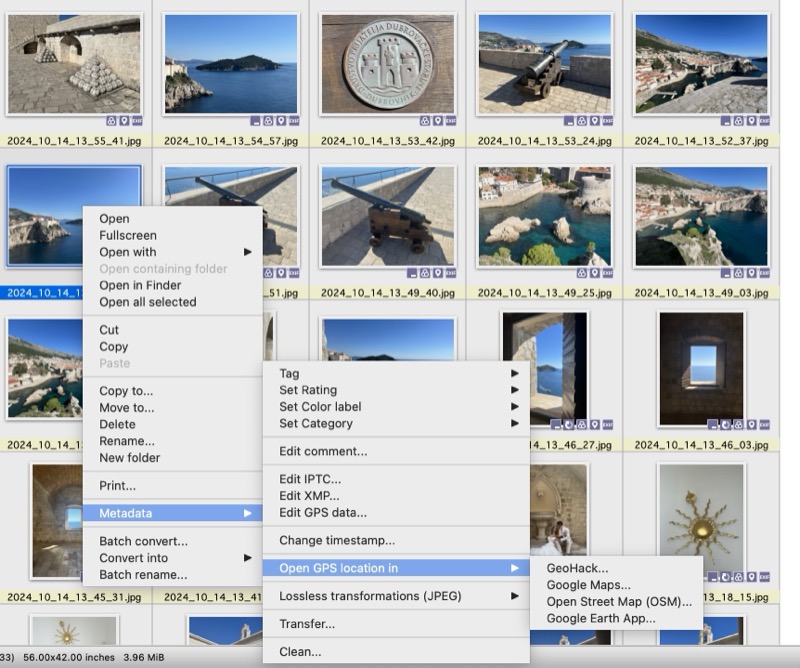
XNView MP
You may wonder what I am calling Photo Mapping. Basically I'd like to be able to quickly and easily (well easy enough) see where I took photos and which ones etc. I don't want to upload all my photos to a cloud platform and then get it to do that as it will likely cost subs (and I'm happy with my free options) and/or also don't want to import them into say Apple Photo's app as that then duplicates them. I wanted something file system based.
I use XnView MP as my image viewer of choice. In that I can select to open a photo in one of a few map options but it is only for 1 photo, it won't show you where say a batch are done.
XNView MP
So I thought of what I could do and how to do this myself in a way that would suit me. It doesn't have to be super automated and it's a once off type thing so doesn't have to be perfect. I settled on a solution that uses a few tools which I'll describe below.
ExifTool is a command line (could be a GUI but didn't bother with that) utility that can read all metadata (exif data) from images. All I wanted out was the GPS data but you can get all sorts like camera model, settings and loads more, here is an example of a random photo of mine.
I have all my photos in a specific folder for my travels. I ran this command over the folder.
exiftool -p '$FileName,$GPSPosition' -S -c "%.6f" -m -sort ~/hol/* | grep -v '\,$' > all.txt
what that does is list all files in a specific folder ~/hol (a temp working folder) in my case and includes the filename and GPS from each image. You can read up on the other flags if you are interested. The grep on the end removes all lines that only have a filename (technically it just looks for a , and a newline/carriage return at the end of the line), which means there is no exif metadata. This occurred when I was on flights, in Postojna Cave where there when my phone was in Airplane mode and or was no GPS signal
I then used a quick script to cut this into 1 file per day and add a column heading line to the top. Yes, I could have done this better in a loop but was just what worked and easiest.
#!/bin/sh
INFILE="all.txt"
for DAY in $(seq -w 23 30); do
  echo "Name,Lat,Long" > 2024_09_$DAY.csv
  grep ^2024_09_$DAY $INFILE >> 2024_09_$DAY.csv
done

for DAY in $(seq -w 01 17); do
  echo "Name,Lat,Long" > 2024_10_$DAY.csv;
  grep ^2024_10_$DAY $INFILE >> 2024_10_$DAY.csv
done
I then ended up with files like:
Filename: 2024_09_23.csv
Name,Lat,Long
2024_09_23_05_47_41.jpg,33.962650 S, 18.472992 E
2024_09_23_05_57_08.jpg,33.957200 S, 18.547422 E
etc.

Filename: 2024_09_24.csv
2024_09_24_10_21_36.jpg,46.231936 N, 14.454836 E
2024_09_24_11_15_22.mov,46.154900 N, 14.479500 E
etc.
Right cool so now I have all the data in CSV files.
I then decided to leverage on Google MyMaps service. I created a new map and then Imported the CSV files into that. There are a few small things to note, that being. 1. you can have max 10 layers in a map, so in my example I had 25 days, so needed a few maps and 2. you can have max 2000 items per layer, which was fine as I had less than that. Doing the import based on this criteria wouldn't quite work if a city spanned a Sunday/Monday, generally mine didn't as those happened to be when I arrived in a city, but if I wanted I could just create a per city map too.
To show what I ended up with the maps looked like this:
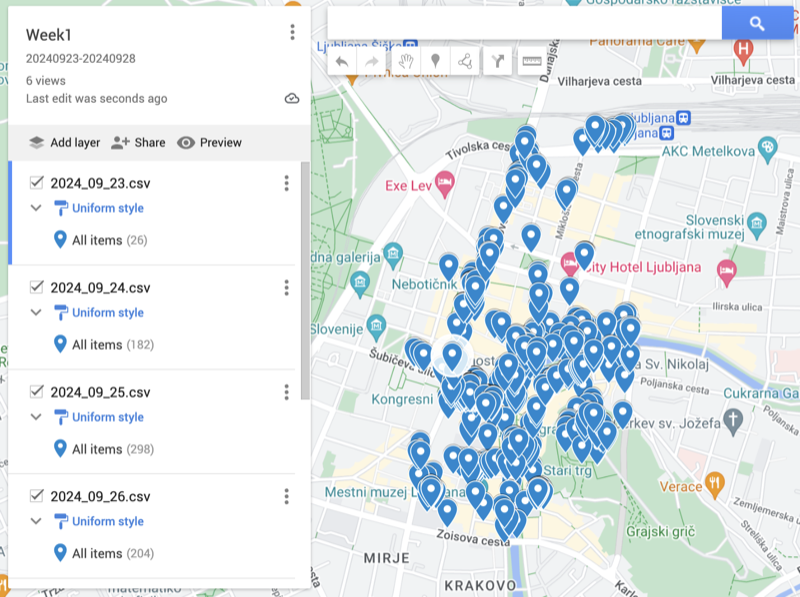
Ljubljana
If I wanted to search to see where a specific photo I took was I could use XNView MP easiest which will then show it to me online, but if I wanted to I could click on a point and then see the filename and then go look it up if I wanted to do the other way around.
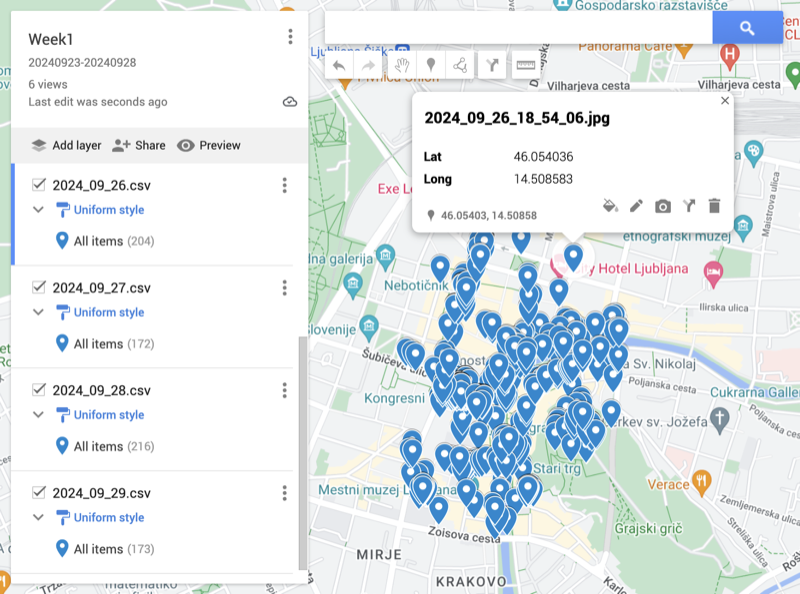
Ljubljana
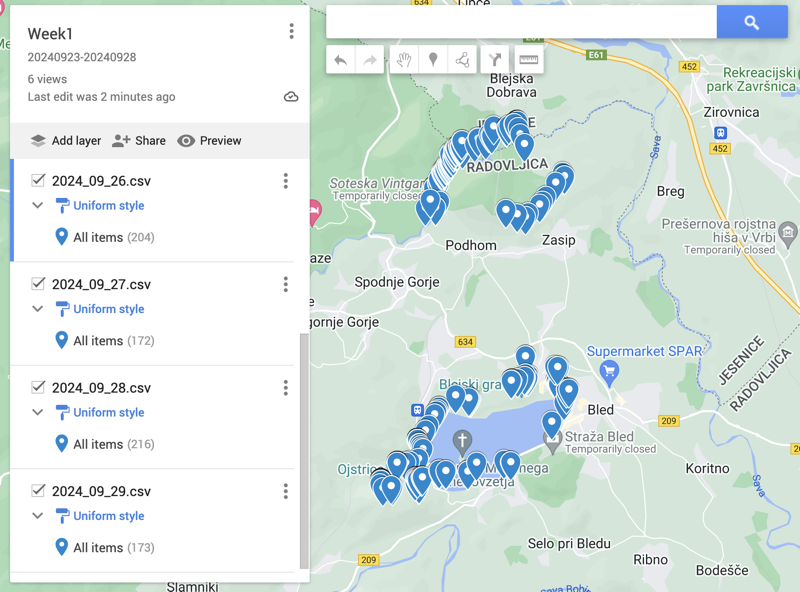
Lake Bled & Vintgar Gorge
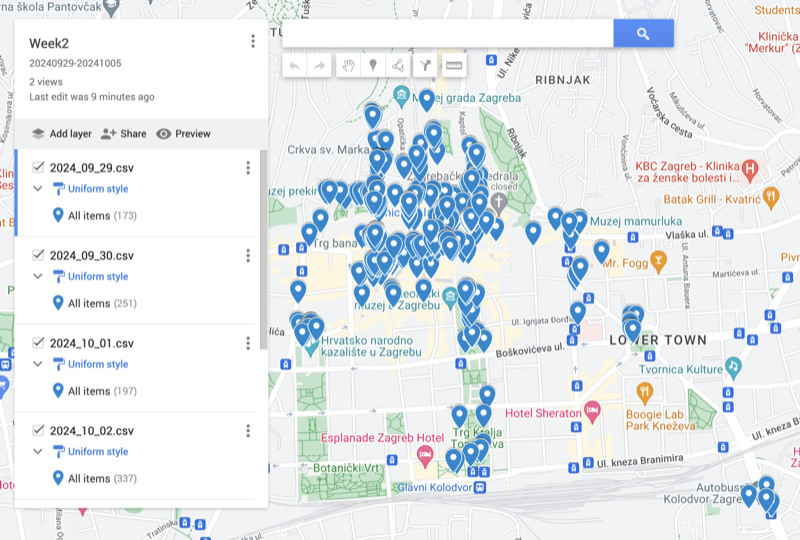
Zagreb (bus station on bottom right)
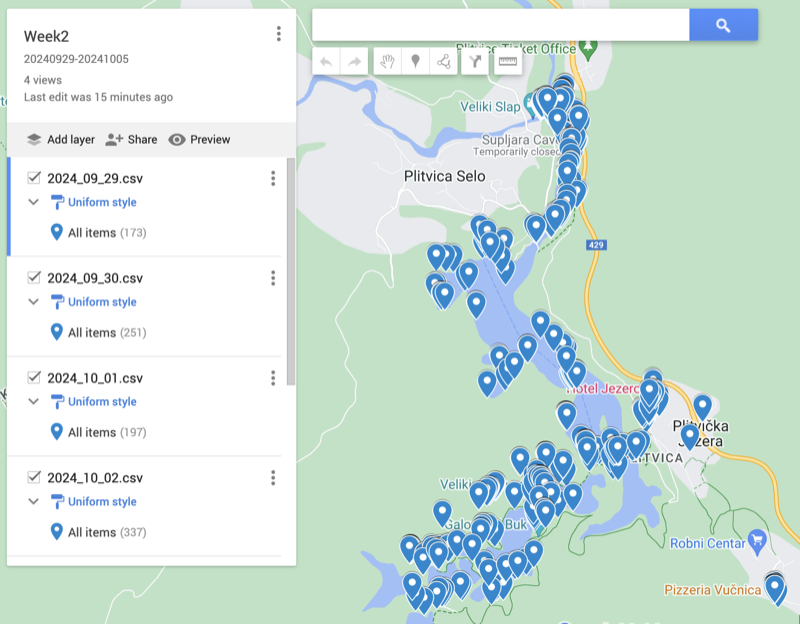
Plitvice (can see where Bistro Vučnica is on the bottom right where I had the 2 dinners)
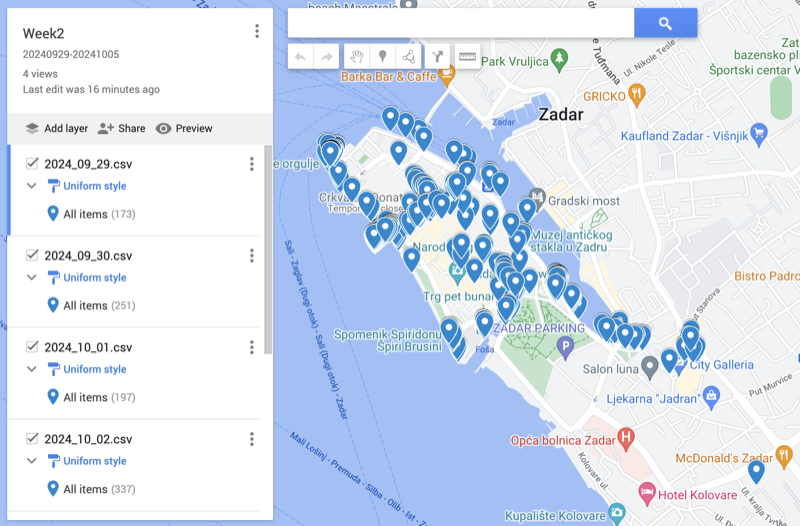
Zadar (bus station on bottom right)
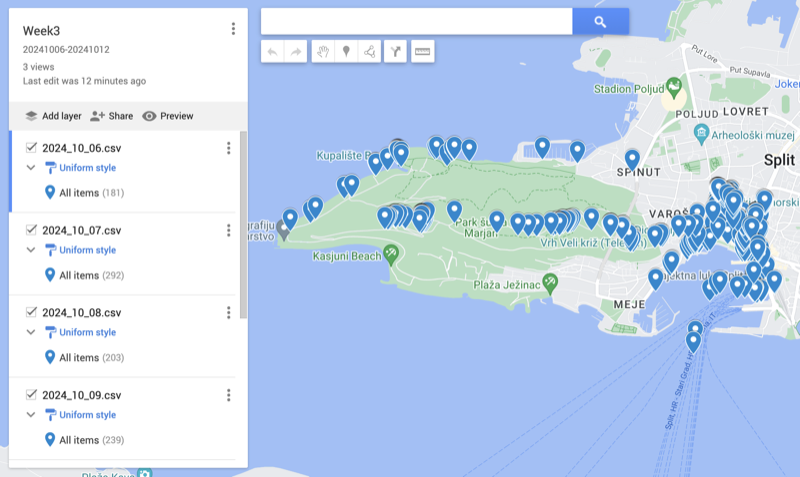
Split
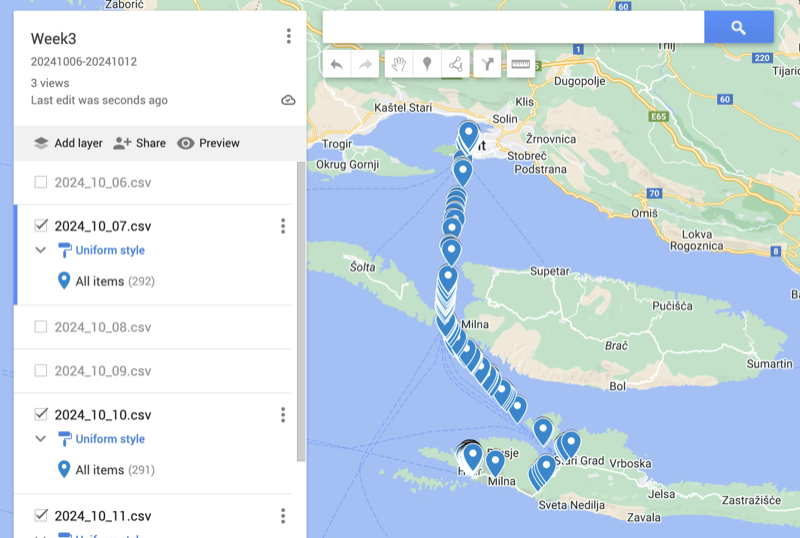
Split/Hvar
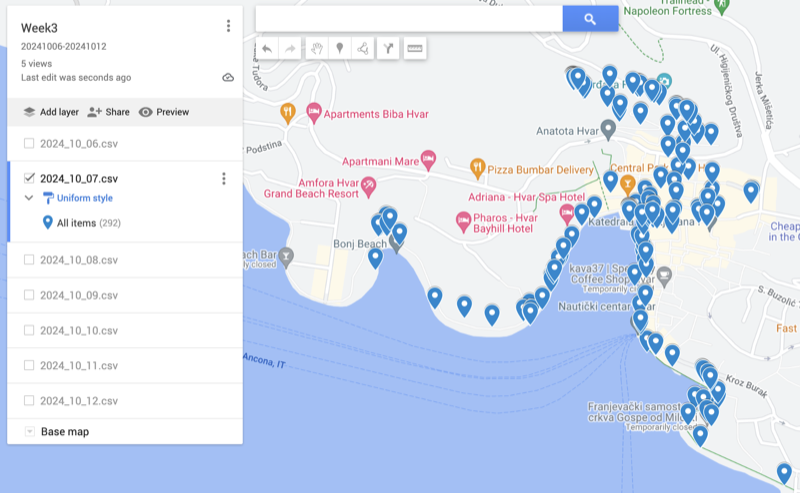
Hvar
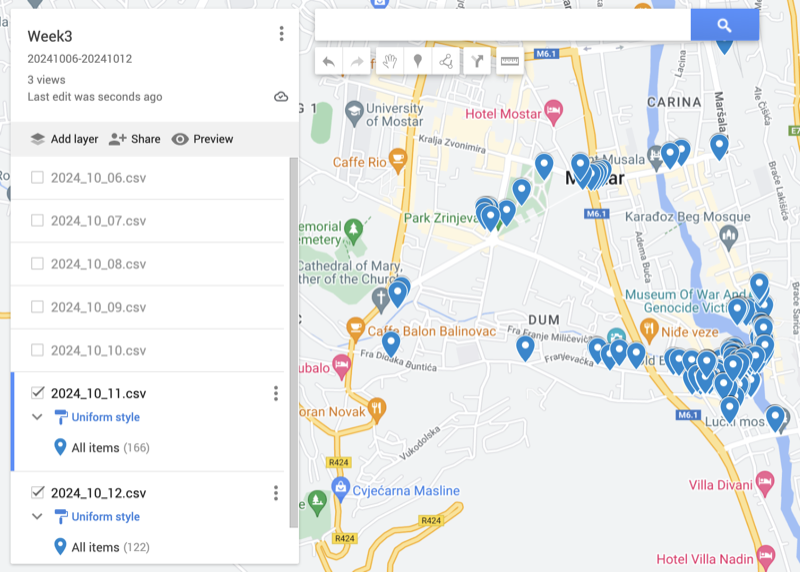
Mostar (didn't include bus station as was further away)
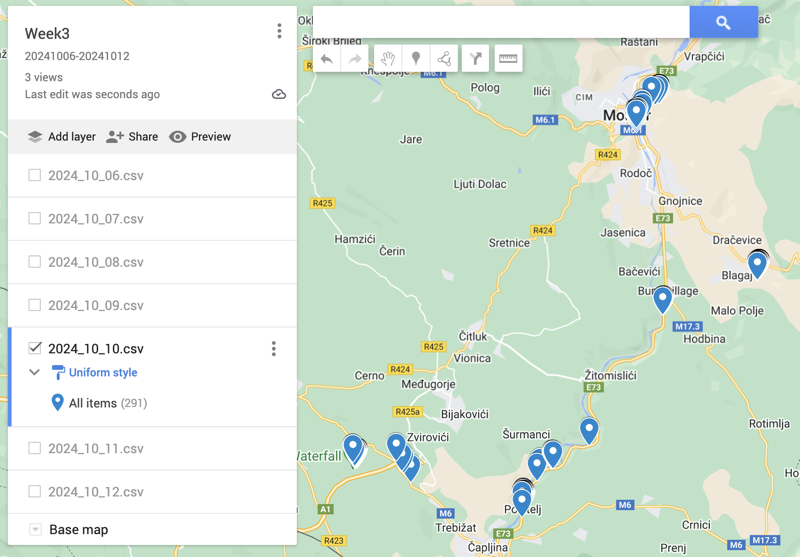
Mostar Day Trip (Fortica, Blagaj, Bunski Kanal, Počitelj & Kravica Waterfall)
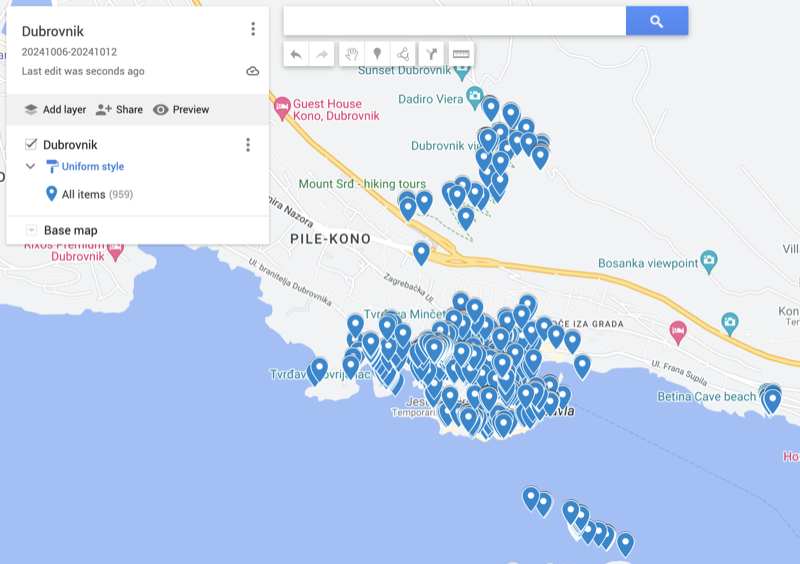
Dubrovnik (can see the walk to Mt Srd and the Kayak Tour locations)
Didn't include bus station as was further away